Customizing your QR code
Shapes & Logo Embedding
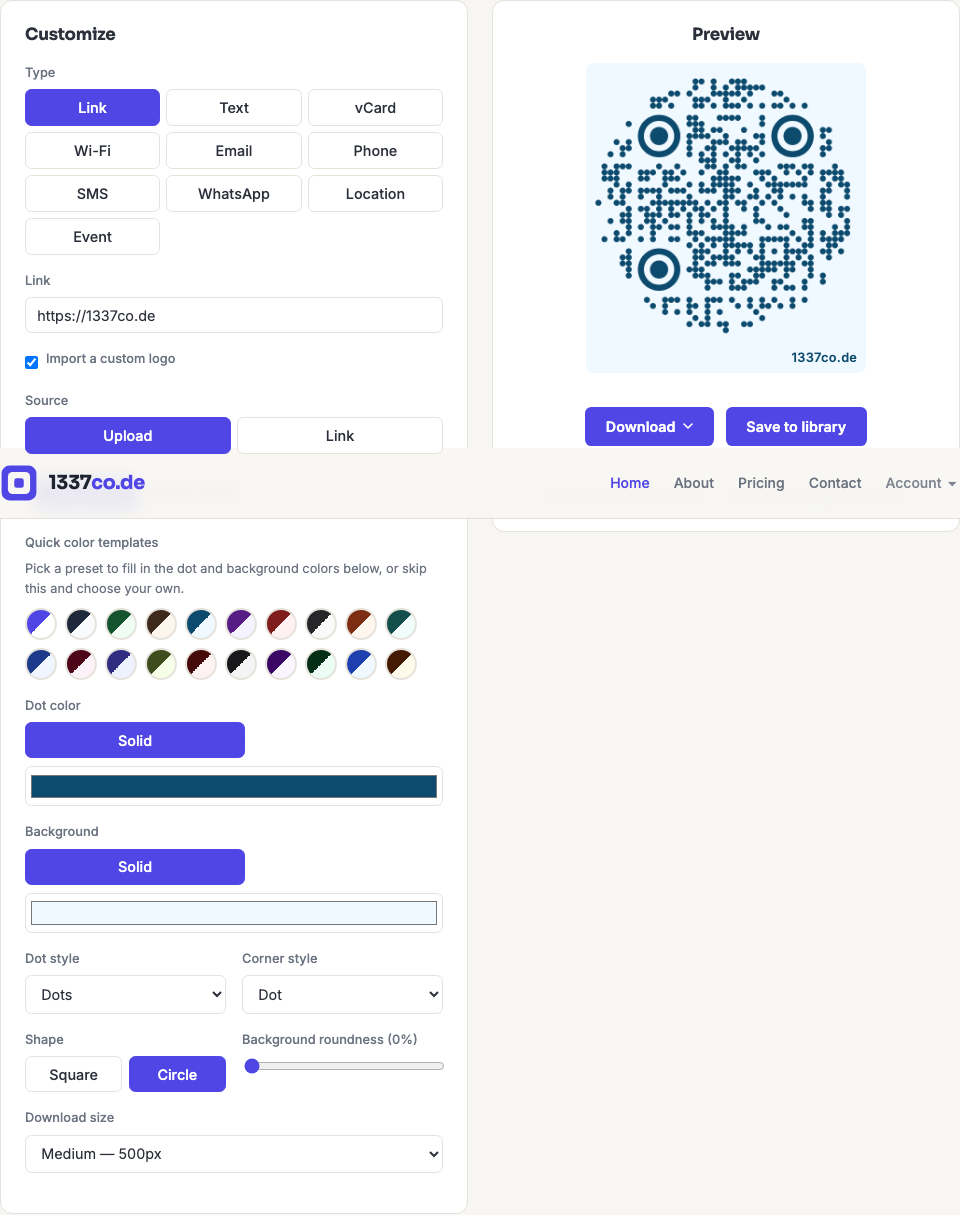
Beyond color, you can change the shape of the dots and corners, round the overall code, and embed your own logo in the center.
Dot and corner styles
Dot style (Square, Dots, Rounded, Classy, Classy rounded, Extra rounded) and Corner style (Square, Dot, Extra rounded) can be set independently. The overall Shape toggle also lets you fit the whole code inside a Circle instead of the default Square — the pattern shrinks slightly to stay inside the circle, so it can be a touch harder to scan from a distance.
Embedding a logo
Check Import a custom logo to reveal logo options — upload an image file, or link to one by URL. You can then adjust the logo's size (as a percentage of the QR area), remove its background, or recolor it to a solid color. Embedding a logo uses extra error correction internally to stay scannable, but a large logo combined with a long/dense payload (a long vCard or Wi-Fi password) can still make a code harder to scan — the generator shows a warning if that combination looks risky, and it's worth testing with a real scanner before printing.