Business Accounts
Getting Started with a Business Account
Business tier adds a shared QR code library for your whole team, with roles and a review workflow. This page covers creating the team and inviting people; see Roles & Permissions and Shared Library & Review Workflow for what happens next.
Creating your business
Once your account is on Business tier, open Business QR Library from the account menu and enter a business name to create your team. You become its first Admin automatically.
Inviting people
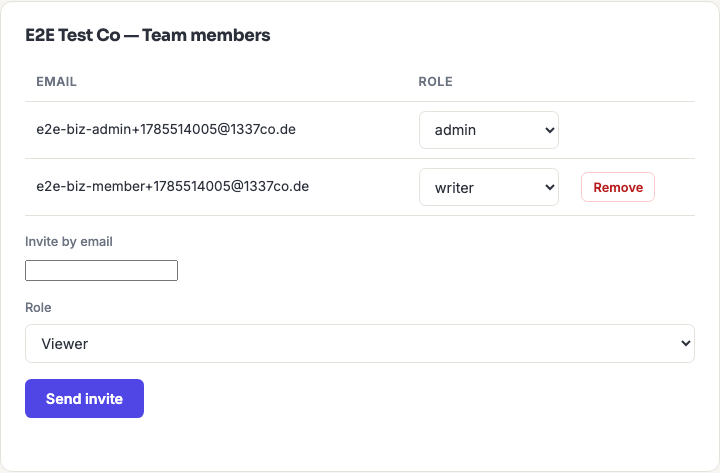
As an Admin, use the "Invite by email" form on the same page and choose a role for the new person. Two things happen depending on whether they already have a 1337co.de account:
- They already have an account — they're added to your business immediately.
- They don't yet — they're sent to sign up (outside this flow, e.g. you tell them to visit the site); as soon as they verify their new account, they're automatically joined to your business with the role you set.
Every invited teammate also gets pro-tier-equivalent features (unlimited saved library, dynamic QR codes, gradients) for their own personal QR codes, at no extra cost — being on a business team doesn't require every seat to separately pay for Pro.
Changing roles or removing someone
An Admin can change anyone's role from the dropdown next to their name, or click Remove to take them off the team — this immediately revokes their access to the shared library. A business always needs at least one Admin; the last Admin can't be demoted or removed until someone else is made Admin first.