Your Account
Two-Factor Authentication
2FA adds a 6-digit code from an authenticator app to your login, on top of your password. Available to every account tier — it's a security feature, not a paid perk.
Enabling it
On My Profile, find the "Two-factor authentication" panel and click Enable two-factor authentication. Scan the QR code shown with an authenticator app (Google Authenticator, Authy, 1Password, etc.), or enter the displayed secret manually if you can't scan. Enter the 6-digit code your app shows to confirm and finish enabling.
Logging in with 2FA on
After entering your email and password as usual, you'll be asked for a 6-digit code from your authenticator app before you're signed in.
Disabling it
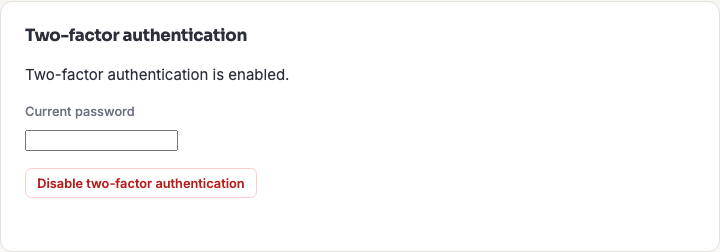
From the same panel, click Disable two-factor authentication and re-enter your current password to confirm.
Lost your device?
1337co.de's 2FA doesn't have backup/recovery codes today. If you lose access to your authenticator app, contact us — an admin can clear your 2FA enrollment so you can sign back in with just your password, then re-enable 2FA on a new device if you'd like.